









Apple smart home has been about its background devices such as the Apple TV 4K, standalone HomePod, and tiny HomePod mini for the past several years. These products were very useful as HomeKit hubs, but there was no single, central touchscreen interface to control all of a user connected living spaces. Apple will be rolling out the company home automation hardware in its history: the Apple Smart Home Hub (aka the HomePad or the HomePod Touch).
This new smart display combines deep Apple Intelligence and Siri AI with an all-new operating system, homeOS, and cutting-edge display technology, to be the central nervous system of the modern home. Apple’s offering, however, has a more privacy-first focus on local computing, seamless multi-user experiences, and stylish industrial design, all while competing directly with the growing onslaught of display-based smart speakers from Amazon (the Echo Show) and Google (the Nest Hub). This in-depth look at the hardware features, software advancements, smart home controls, and groundbreaking capabilities rolling out for Apple’s ultimate control hub.
Hardware Engineering, Display Options, Form Factors
Apple strategy for smart home devices revolves around flexibility and seamless integration into the home, including kitchens, living rooms, and bedside tables. Apple is working on two different physical iterations, according to industry reports, with one being standard and the other more compact. They both include a high-resolution 7-inch touchscreen that has a square or slightly rectangular shape, about the size of two iPhones side-by-side.
The Apple Smart Home Hub under-the-hood specs include an A18-series processor and 8GB of unified memory at a minimum. The robust hardware setup allows you to execute on-device machine learning models, animate UI without latency, and perform local Apple Intelligence without any lag. The front features a 1080p FaceTime camera and a plethora of optical and thermal sensors, and the body will be offered in traditional colours of Silver and Space Black.
learn about the architecture of homeOS and Apple Intelligence
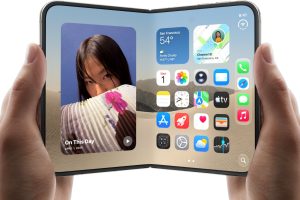
homeOS, a specialized operating system based on core components of tvOS and iOS, is at the heart of the Smart Home Hub. homeOS’ user interface for shared family-use touchscreens is an Apple Watch-complication-and-iPhone-StandBy hybrid that emphasizes scannability, modular widgets and touch-friendliness.
Instead of having an application grid that is crammed with a ton of apps, the primary dashboard has customizable widgets that dynamically change depending on time of day, family plans, and environmental conditions. The morning presentation features local weather reports, calendar information, traffic information, and the summary of the morning news program, whereas the evening presentation focuses on indoor climate (control), security camera feeds, ambient light scenes, and media playback control.
At the heart of the homeOS experience is the expected and anticipated revolution of Siri AI, which is designed by Apple Intelligence. The new virtual assistant delivers more natural conversations, greater context and visual feedback on the screen. Multi-intent smart home requests can be made in a natural sentence, e.g., “Dim the living room lights, lock the front door, and set a 20 minute dinner timer,” without any confusion for Siri.
- Dual Hardware Designs: It comes in both a tabletop model with a base inspired by the HomePod and a slim, wall-mountable display unit.
- Proximity and Face ID Recognition: Switches ambient widgets and individual profiles based on the approaching user’s face, using the front-facing optical sensors.
- Integrated Face Time and Communications: Allows HD video calls, room-to-room audio intercom between multiple home units and messaging integration.
- Universal Smart Home Hub: Provides instant, low latency control of lights, locks, cameras, and thermostats as a native controller for Matter and as a Matter border router for Thread.

Proximity Sensing, Face ID and Personalized User Profiles
One of the core issues for conventional smart home displays is that they are common household devices trying to cater to people with varying personal timings, media tastes and privacy requirements. Apple addresses this with sophisticated proximity-sensing and the Face ID facial-recognition camera that it integrated directly into the front sensor bar.
If the Smart Home Hub detects no activity, the display will switch to an energy-saving ambient mode, showing faint digital clock faces and weather conditions, or a personalized family album of photos. The sensors inside the device measure distance as the user approaches, and adjust the scale of the interface accordingly. Whether the user is several feet away, they see large format icons on the screen indicating the current status of the weather, the home, or the media sliders, or they approach the display within touching distance, the UI responds gracefully to detailed touch operations for thermostats, lighting groups and media sliders.
The homeOS is able to recognize a family member when they approach, automatically authenticates their profile and personalizes the dashboard for their own account. As one family member approaches a hub, they’ll see their own future calendar events, unread messages, and their favorite Apple Music playlists while another family member will immediately see their own customized setting. In addition, long-range hand gesture recognition will make it possible to play and stop music or mute alarms anywhere on the kitchen counter using a hand gesture without having to touch the screen.
Privacy Architecture, Ecosystem Synergies and Market Impact
Smart home devices are becoming more and more equipped with cameras, microphones and presence sensors, making data privacy the top priority for users. The one key distinction Apple gives to its Smart Home Hub is its security-first design. The facial templates, presence analytics from the cameras and speech-to-text logs are encrypted and then locally processed on the A18 processor’s Neural Engine, which is not sent to external servers.
The hub is not just a piece of hardware; it also serves as a testament to Apple’s broader ecosystem of devices. It becomes a standalone AirPlay 2 speaker receiver, letting users seamlessly send podcasts or songs directly from their iPhone or iPad with a quick gesture. It can be synced with the Apple TV 4K units or standalone HomePod speakers to form an immersive multi-room audio system that raises home entertainment to a new level.